Always-On, Not Unsupervised: How We Run GTM Agents That Work While We Sleep
How does CMM supervise GTM agents overnight?
A read-only monitor compares each run with the last one and reports what changed. Scoped permissions, scheduled checks and human approval determine when an agent may act.
In this article
- The card is not the session
- Pick a cadence by what it costs to be late
- The poller is read-only. Always.
- Status reports say what changed. Nothing else.
- Cleared is not working
- The human gate: what always says "needs you"
- The scope card: what an agent is allowed to touch
- Failure modes, with fixes
- The checklist we run before an agent goes always-on
Everybody wants agents that run 24/7. Almost nobody wants to read what they did at 3 AM.
That's the actual job. Not building the agent. Running it. An always-on agent that nobody checks isn't automation. It's a liability with a schedule.
We run research, campaign, reply and content agents across Claude Duet, Dot, Claude Code in the Cloud and our Clay workflows. Some fire every 10 minutes. Some run once a day. None of them get to decide on their own what counts as done, what goes out to a buyer, or what they're allowed to touch.
This Article is the operating manual. The monitoring cadence, the read-only poller, the status report format that says what changed and nothing else, the approval gates, and the scope card every agent gets before it runs. Copy the templates. Change the names. Keep the rules.
If you want the org chart side, who does what and who isn't allowed to touch the rest, that's my coordinator and specialists Article from Nov 10: https://x.com/joshwhitfieldai/article/2120143896407921069. This one is what happens after the agents are running.
The card is not the session
Here's the failure mode that made me write this down: a task card that says Working while nothing behind it is moving.
Nothing looks broken when that happens. No error banner. No alert. Just a status that keeps telling everyone the job is in progress, because nobody told the card otherwise.
That's the first lesson of always-on agents. Every agent has two things: the work, and the agent's description of the work. They drift apart. The card, the "done" message, the green check are all the description. The session, the file, the rows in the Clay workflow, the sent count in the sending tool are the work.
Rules:
Monitor the work, not the label. A status of Working with no new output since the last check is a question, not a status.
Every status needs a receipt you can open. Working means a running session. Done means an output that exists where it should. Sent means the sending tool shows it.
"Done," "launched" and "complete" are not states. They're vibes. Use named states with receipts behind them.
If the job was supposed to write records, the Clay workflow has to show the change. The agent's report is not the proof.
When the label and the work disagree, the work wins, and the label gets flagged once.
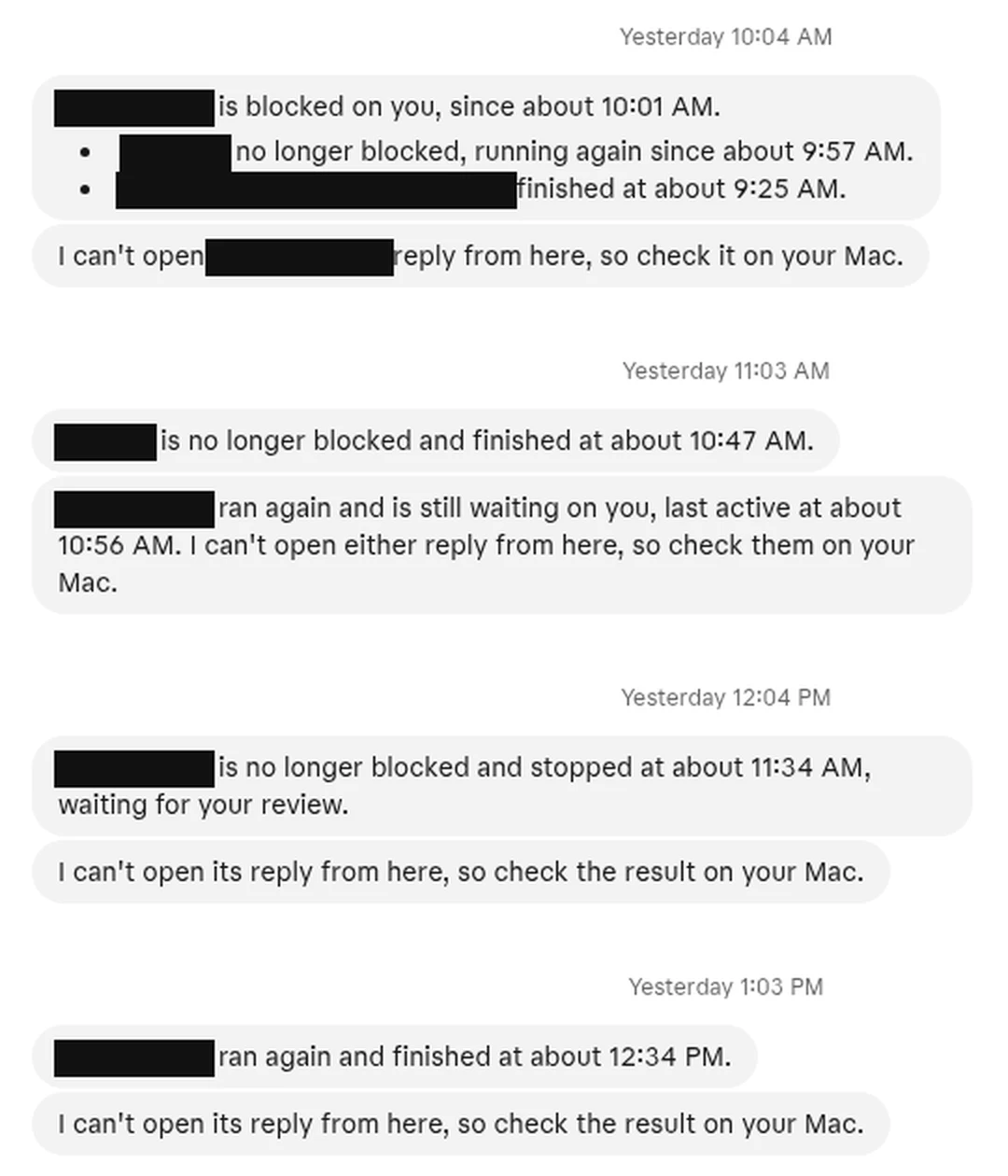
That's our Claude Duet status channel. Look at the shape of every line: a state and a time. "Blocked on you, since about 10:01 AM." "No longer blocked, running again." "Stopped at about 11:34 AM, waiting for your review." "Finished at about 9:25 AM." And when it can't see the result, it says so: it can't open the reply from there, so check it on the Mac.
That's the format. A state, the time it started, and what the agent couldn't check. "Working" with no time attached tells you nothing.
Pick a cadence by what it costs to be late
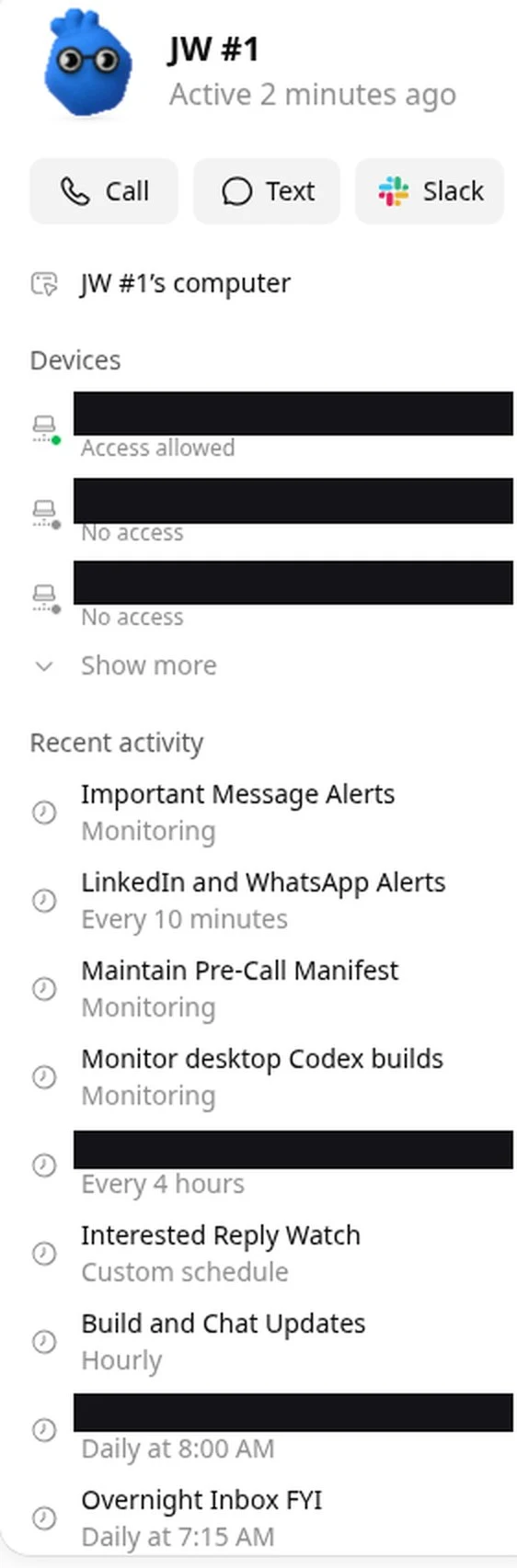
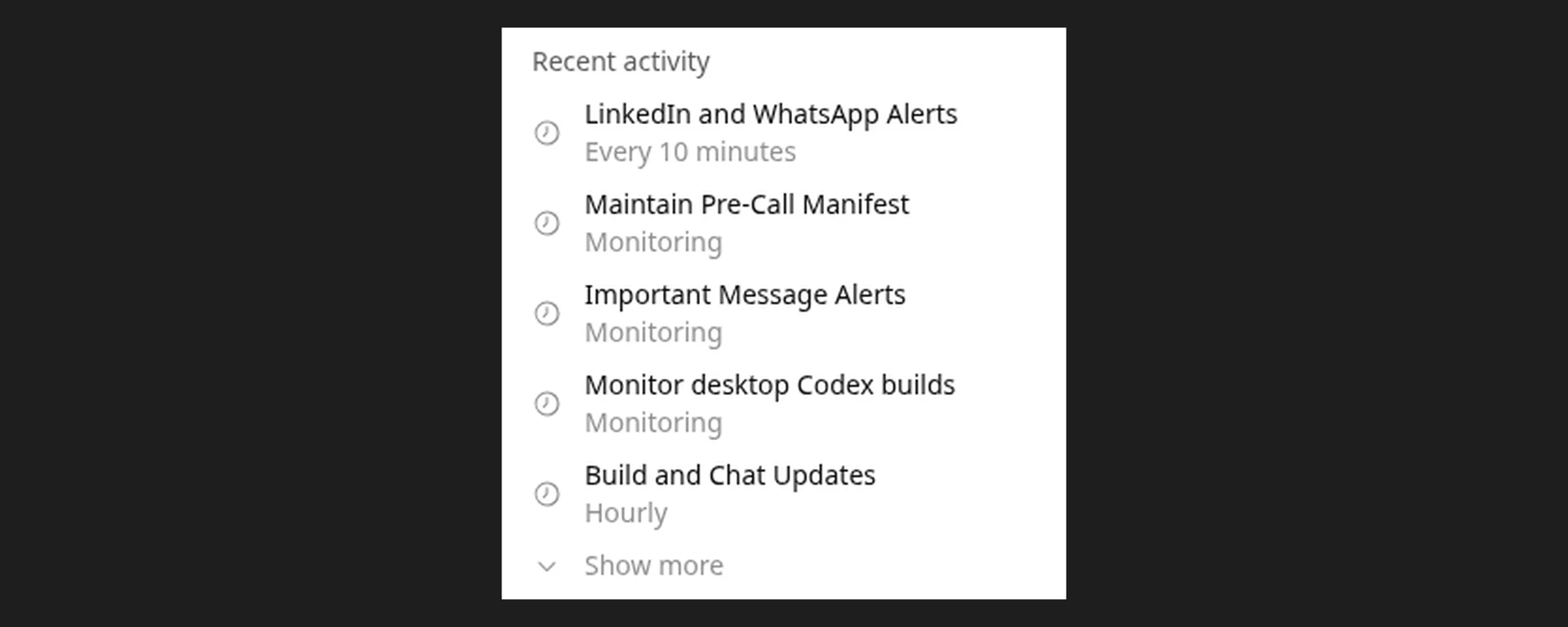
Our Dot automations run on four clocks: every 10 minutes, hourly, every 4 hours and daily. That's not random. Each clock maps to how much it costs us to find out late.
Every 10 minutes: things where an hour of not knowing hurts. A session that signed out. A run that stopped. A reply that needs a human.
Hourly: things that drift. Queues that should be moving. Tasks stuck in Working.
Every 4 hours: rollups. What moved since the last rollup, what's waiting on someone.
Daily: the digest. What ran, what held, what needs a decision today.
Rule: if nothing in a check could ever change what you do in the next hour, it doesn't belong on the 10-minute clock. Fast cadence on low-stakes checks is how you train yourself to ignore alerts.
Rule: every cadence has an owner. If nobody reads the hourly report, delete the hourly report.
The poller is read-only. Always.
The monitor that watches our agents is itself an agent. That's exactly why it gets the tightest leash in the building.
Make it state its scope at the top of every report: no messages sent, no action cards or chips clicked, no approvals made, no archives changed. Make it check the composers for a half-written message before anything else. If it finds one, it leaves it alone and says so.
The rules:
The watcher can read anything it's pointed at and change nothing.
No clicking approve, retry, resume or "fix it" on an agent's card. Ever. Those buttons belong to a person.
Check for a mid-send state first. If someone is halfway through typing, the poller reports and backs off.
Archived stays archived. The poller does not unarchive a channel to read it better.
Login prompts and permission prompts get reported, never answered.
Here's the prompt shape. Copy it, fill the brackets.
Status reports say what changed. Nothing else.
The worst agent report is the complete one. Forty lines of everything the agent knows, re-sent every hour, with the one new thing buried at line 31.
Make the monitor compare every page against a watermark from the last pass. Each page gets one word first: NEW or UNCHANGED.
Most passes should say UNCHANGED. That's the system working. A fast "nothing to see" on the quiet pages is what gets the NEW ones read.
Rules:
Lead with the diff. NEW or UNCHANGED, per item, before any detail.
Every report ends with one flag a human can scan in a second: NOTHING_NEW=true or false.
Already flagged means already flagged. An open question stays on the list, marked ALREADY FLAGGED, and does not get re-announced as news every hour.
Timestamps carry their timezone. "3:04 PM" from a tool in UTC and "3:04 PM" from your laptop are two different times.
Quote the agent, don't paraphrase it. If the agent said "read only, nothing dialed," the report says exactly that.
Cleared is not working
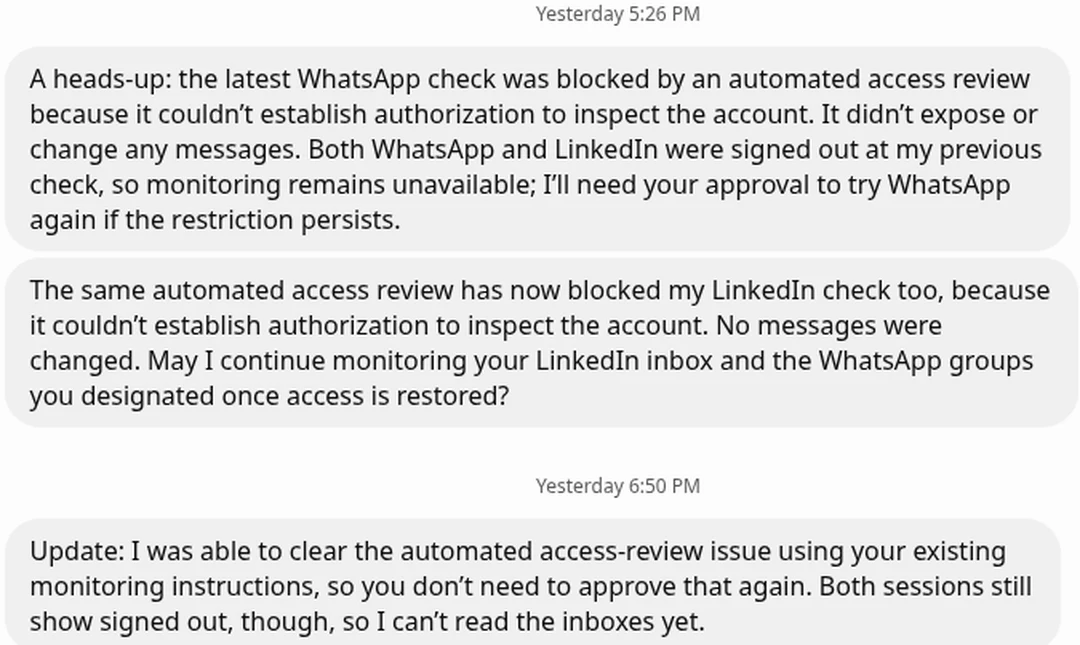
The image above is a real one from our Dot feed. An automated access review blocked the WhatsApp check. Then the LinkedIn check. No messages changed. Then an update: it had cleared the access-review issue. Same message: both sessions still show signed out.
That last line is the one that matters. "Cleared" was true for the blocker. It wasn't true for the work. A signed-out session can't run anything, no matter how green the last message sounds.
Rules:
A fix is not confirmed until the next scheduled run succeeds on its own.
Signed out is its own state. Not Working, not Blocked. Signed out, with the account named.
Your monitor reports login alerts every pass, even when the answer is none. "login_alerts=none" is a line, not a skipped line.
The human gate: what always says "needs you"
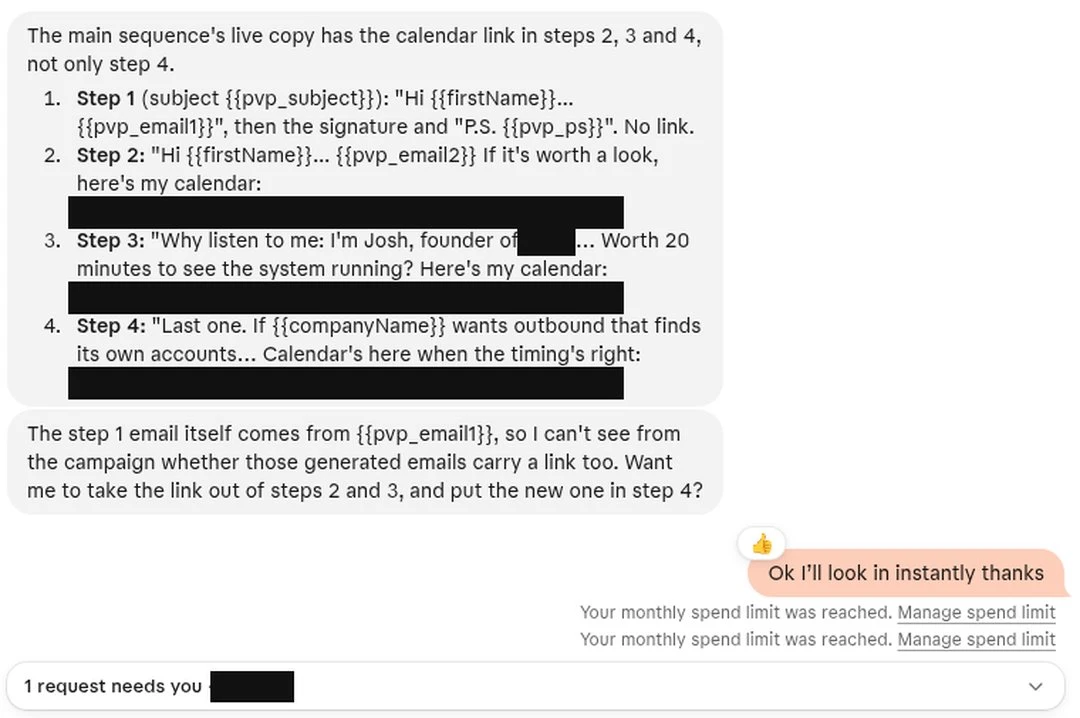
Claude Duet puts a card on the channel when an agent is waiting on a person. Ours read "1 request needs you" next to a 4-step sequence it had reviewed. That card is the most important UI in the whole stack.
When we built our reply engine, I approved deploying every change except one: positive replies. Tagging, follow-ups, not interested, unsubscribes and stops could go live. Positives had to be built and evaluated, with sample drafts shown to me, but not deployed and not sent.
Later we set the Slack alert so it only fires for positives the engine holds as a draft for us: custom terms, partnerships, new deliverables, missing info. If the engine already handled it, nobody gets pinged.
The gate rules:
A person approves anything new that could reach a buyer. A new reply type, a new sequence, a new sender.
Build first, show samples, then decide. Approval on a real draft beats approval on a description.
Alerts go to humans only for the things only humans can do. Ping people for everything and they stop reading the pings.
Pause means pause. When you pause a task, the morning brief, the check-ins and every other side job it started pause with it. Side jobs are still jobs.
The agent says what it's doing before it does it, with the mode. Something like "checking the tagged replies now, read only, nothing sent." One sentence: scope, mode and what it won't do.
The scope card: what an agent is allowed to touch
Every agent we run gets a scope before it starts. Not a vibe. Lines.
Real ones from our reply engine brief:
Add a 1-minute delay before the engine acts, so the sending tool's own auto-labeling lands first.
Unsubscribes and stops go to the permanent blocklist. Polite declines get tagged Not Interested and suppressed for 90 days, not blocklisted.
Guard against double-sends.
Do not touch the campaign's daily limits or inbox assignment.
Every one of those is a decision a human made once, so the agent doesn't have to make it a thousand times.
Rules:
Write the "do not touch" list before the "do" list. The do list is obvious. The do-not list is where the damage lives.
Name the fields, not the vibe. "Don't mess with sending" is useless. "Do not touch daily limits or inbox assignment" is a rule.
Wait for the system of record. If another tool labels first, the agent waits for the label instead of racing it.
Never guess a name that already exists. Tags, workflow names, campaign names: look them up.
Every irreversible action has a guard. Blocklists, sends, deletes. Double-send guards are cheap. Double-sends aren't.
Failure modes, with fixes
The card says Working, the session is dead. Fix: the monitor compares output since the last pass. No new output plus Working equals a flag.
The monitor "helps." It clicks retry, approves a card, resumes a paused task. Fix: the monitor is read-only by prompt and by habit. It reports. People press buttons.
Report fatigue. Every pass re-sends everything. Fix: diff-first reports, ALREADY FLAGGED, and a single NOTHING_NEW flag.
A fix that only fixed the message. Fix: confirmed means the next scheduled run worked, not that the agent said cleared.
Pause that isn't. Fix: the scope card lists every side job that stops with it.
The agent races another tool. Fix: a written wait. Our reply engine waits 1 minute for the sending tool's own labels.
Alerts for everything. Fix: alert only on what needs a human. Everything else lands in the digest.
The checklist we run before an agent goes always-on
Copy this. If any answer is no, it doesn't go on a schedule yet.
Does it have one job and one human owner?
Is its cadence matched to what it costs to find out late?
Is there a written MUST NOT TOUCH list with named fields?
Does anything it could do reach a buyer without a human gate?
Do its reports lead with what changed?
Does every status point to a receipt you can open?
Does the monitor watching it have zero write access?
If you pause it, does everything it started pause too?
Always-on is easy. Every tool sells it now. Always-on and boring, where most checks say nothing changed and the rest land in front of the right person, is the part that takes rules.
Agents run the schedule. People make the calls.
Article figures